
What Is a Temperature Data Logger and How Does It Work?
A shipment can arrive cold and still have a temperature problem
A temperature check at the receiving dock shows only one moment. It cannot reveal whether the cargo sat on a warm airport apron six hours earlier, partially froze beside a refrigeration outlet, or warmed during an overnight handover. A data logger fills that evidence gap by recording conditions throughout the journey.
That distinction matters. The logger does not cool the cargo and it does not decide whether a product is safe or usable. It records evidence. The shipper, receiver or quality team then evaluates that evidence against the product specification, stability data and applicable procedure.
How a temperature data logger works
Most shipment loggers combine five elements: a temperature sensor, an internal clock, a microprocessor, memory and a battery. Before dispatch, the user or supplier configures the recording interval, start delay, alarm limits and trip duration. Once started, the logger samples the sensor at the programmed interval and stores the result with its time.
At destination, a conventional USB logger is connected to a computer and automatically produces a report. A Bluetooth model transfers data to a phone without opening the package in some workflows. A cellular logger sends readings and location information to a cloud platform while the shipment is moving, subject to network availability and the device’s transmission settings.
A sound design keeps recording locally even when a real-time device loses its network connection. When coverage returns, stored readings can be uploaded. This prevents a tunnel, remote road or underground loading zone from becoming a permanent gap in the trip history.
From sensor reading to shipment report
The useful output is not a single minimum or maximum value. A defensible trip report normally includes the device identity, start and stop time, sampling interval, time zone, alarm thresholds, individual readings, a graph and summary statistics. PDF reports are convenient for receiving and audit records; CSV files are better when a quality team needs deeper analysis or integration.
Alarm status must be interpreted carefully. A brief reading outside a limit is not automatically proof that the product is damaged, just as an average temperature inside the limit is not proof that no excursion occurred. Duration, peak temperature, logger placement, sensor response and product stability all affect the decision.
Where should a logger be placed?
Placement should reflect the risk the company is trying to measure. A logger beside the door may reveal exposure during unloading, while one in the centre of the load may better represent protected cargo. A device touching a gel pack, dry ice or an evaporator outlet can report a local extreme that does not represent the full shipment.
For high-value or validated lanes, one logger is not always enough. Use route qualification, thermal mapping or previous shipment data to identify hot and cold spots. The right question is not simply “Where is it easy to attach the logger?” but “Which position gives evidence relevant to the release decision?”
The main types of temperature data logger
Single-use USB loggers suit one-way shipments and require no return logistics. Reusable loggers suit closed loops, repeated routes and facilities where devices can be recovered, checked and redeployed. Bluetooth adds convenient local access. Cellular models add in-transit visibility and alerts, which can support intervention before arrival.
Other selection factors include measurement range, accuracy, calibration evidence, memory, battery life, ingress protection, start method, display, alarm logic, report format, time-zone handling and aviation requirements. The least expensive logger is not necessarily the lowest-cost choice if its report cannot support the customer’s receiving or quality process.
What a logger can and cannot prove
A logger can show what its own sensor measured, at its own position, at recorded times. It can support traceability, lane analysis, claims investigation and product disposition. It cannot directly prove the core temperature of every item in a pallet, explain the root cause by itself, or replace qualified packaging and handling controls.
Treat the device as one part of a monitoring system. Written procedures, correct configuration, trained handlers, calibrated equipment, report review and deviation management determine whether the data becomes useful evidence.
A practical pre-shipment check
Confirm the approved temperature range and alarm logic; verify the logger’s range, accuracy and trip duration; check configuration and time zone; activate the device and confirm start status; record the device ID against the shipment; place it according to the monitoring plan; tell the receiver how to stop, download and escalate the report.
These checks take minutes. Missing any one of them can leave a shipment with a device but without reliable evidence.
How MESAVSS supports different monitoring workflows
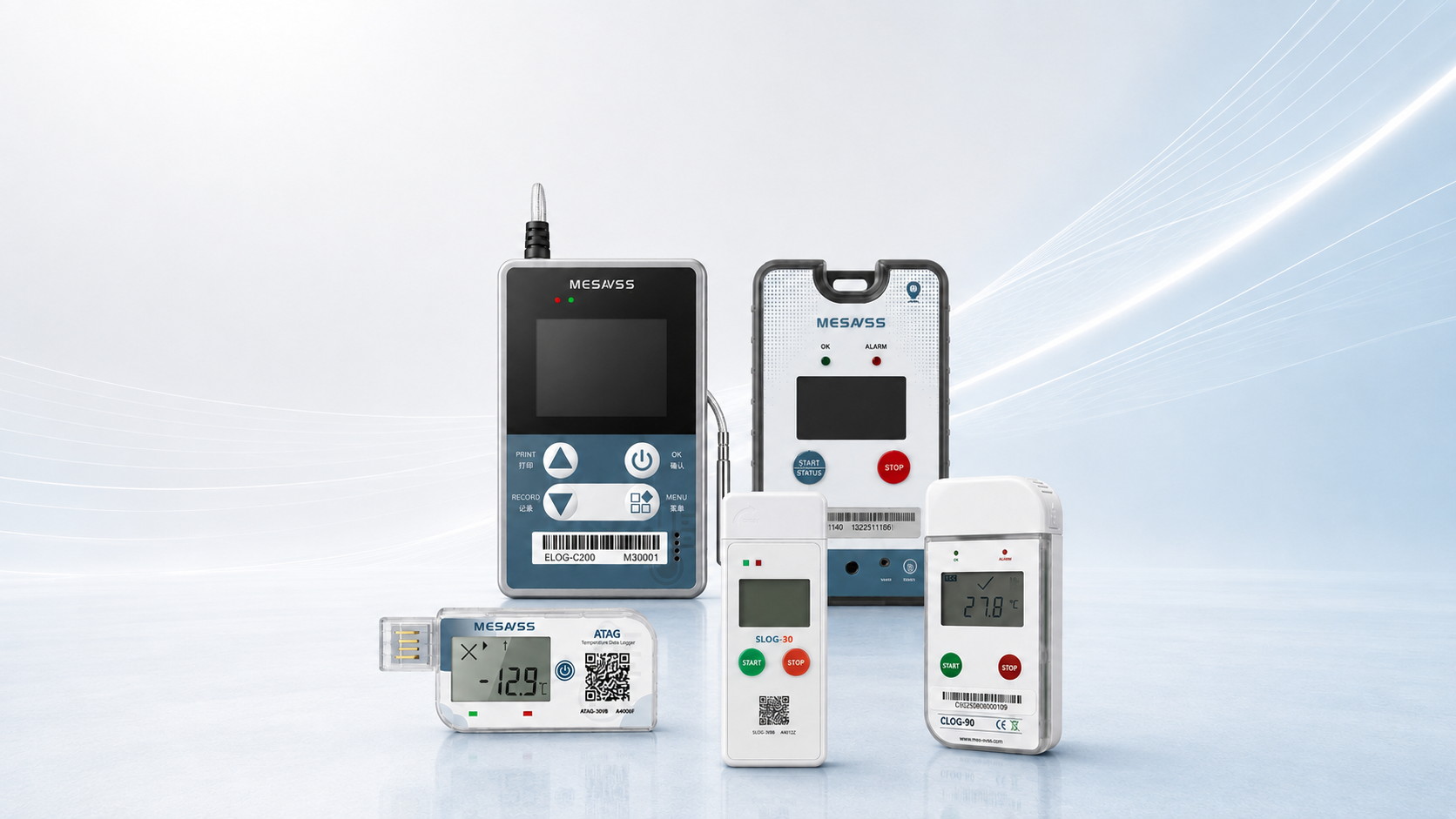
MESAVSS provides single-use and reusable USB loggers, Bluetooth-enabled models, deep-frozen monitoring and real-time connected devices. The appropriate model depends on the lane and decision process: automatic PDF evidence for routine shipments, reusable monitoring for controlled loops, or cloud visibility where an alert can still change the outcome.
For a useful recommendation, define the product range, trip duration, destination workflow, connectivity need and required calibration or compliance documents before selecting a model.